The quick answer
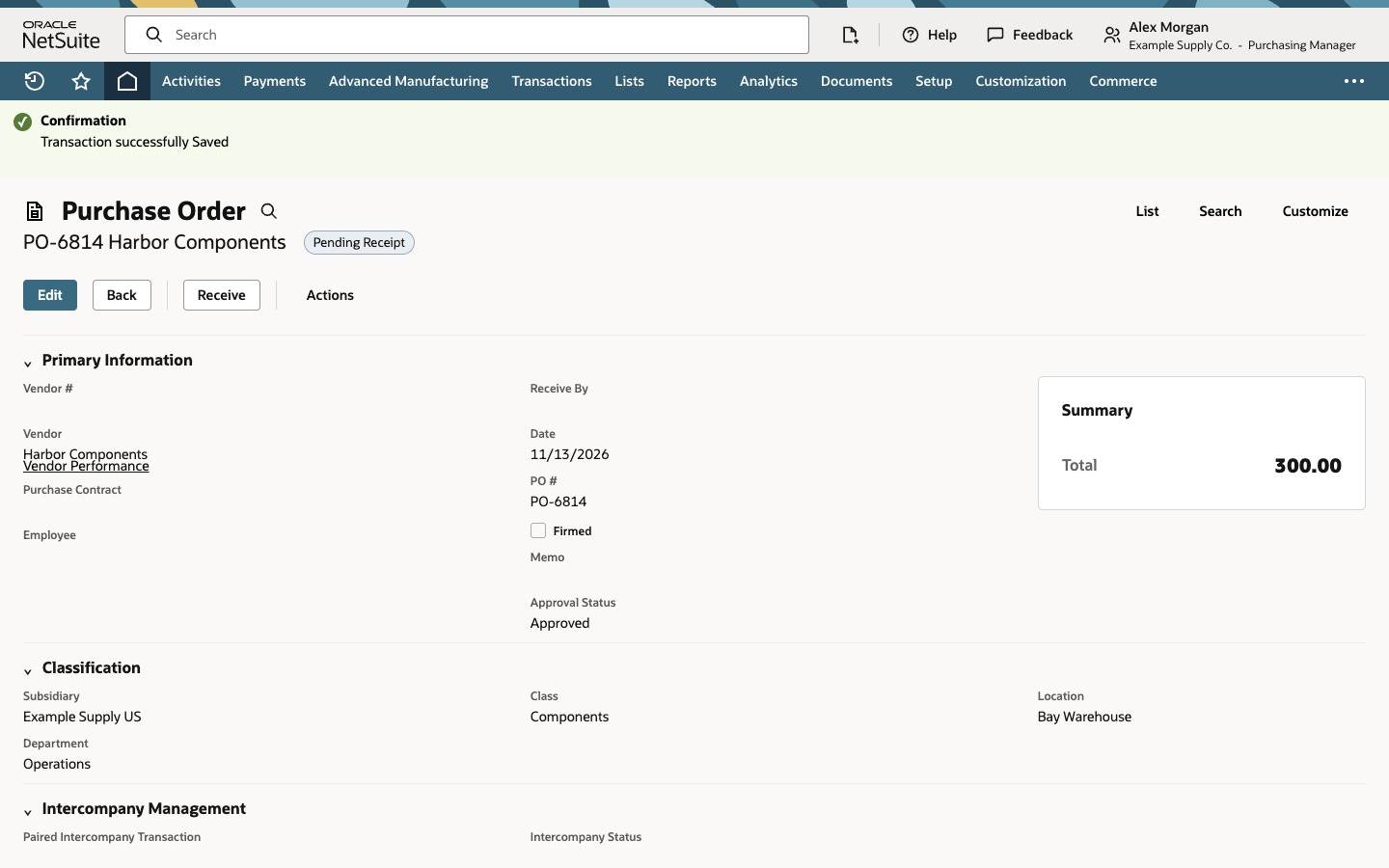
Open the generated purchase order for the vendor you want from the processing results or your account’s purchase-order list. Check the vendor, location and quantities on the order. If your role and approval process allow you to edit Approval Status, set it to Approved and click Save. Check that the saved record shows Approved and Pending Receipt.
This example uses a form with an editable Approval Status field. If your account uses SuiteFlow or another approval process, use the Approve action or approval queue provided by that process.
Submit the two recommendations
Go to Transactions > Inventory > Order Items and open Reorder Point Items, the recommendation view in this example. Check the rows for 24 Mounting Plates from Harbor Components and 16 Gasket Sets from Ridgeline Supply, both for Bay Warehouse. Leave print, email and fax clear to skip those output options for this run. Click Submit.
Review the order you want to approve
In Processed Purchase Orders, identify the two order numbers by vendor. Open PO-6814 for Harbor Components. On the purchase order, confirm that it is Pending Approval in this example, the location is Bay Warehouse and the item quantity is 24 Mounting Plates.
Approve and verify the saved purchase order
Click Edit. If the Approval Status field is editable and your process authorizes direct approval, select Approved and click Save.
On the saved PO-6814, check Approval Status and the transaction status next to the order number. Approved is the approval decision. With Advanced Receiving enabled in this example, Pending Receipt means there are still items to receive. The Receive button appears on this order. Its availability depends on your role, form and the order’s remaining lines.
Common questions
Does a completed Order Items run approve the purchase orders?
It confirms that NetSuite processed the run and created the linked orders. Open the individual purchase order to see its approval status.
What if I cannot edit Approval Status?
Follow the approval action, queue or other process configured for your account. Your role, form and approval workflow determine which controls appear.
Does Pending Receipt mean the items are already received?
With Advanced Receiving enabled, Pending Receipt means the order is still waiting for an item receipt. An item receipt records what was received.