The quick answer
Open Manage Asset Proposal, choose Split for a New proposal with quantity greater than one, and allocate both cost and quantity in Split Details. Wait for the split process, review the new proposals, then select only the rows you want to turn into assets.
The screenshots show a recorded example with fictional person and company names. Your proposal IDs and amounts will differ.
Before you start
You need Fixed Assets Management access and a New proposal for a posted purchase with multiple units. Here, bill VB-7202 produced proposal 6202 for three inspection monitors at a total cost of $27,368.42. The example also has an unrelated workstation proposal, 6101. If your purchase has no New proposal yet, run Fixed Assets → Transactions → Asset Proposal for its date, subsidiary, and asset type, then wait for that process to complete. Eligibility also depends on the posting account, approval settings, and whether FAM has processed the transaction before. Check the source transaction and proposal quantity before splitting. If the quantity is wrong, correct the proposal first.
01. Find the multi-unit proposal
Go to Fixed Assets → Transactions → Manage Asset Proposal. Find 6202 and check that Quantity is 3, Original Cost is 27,368.42, and Process contains Split. Leave proposal 6101 alone; it belongs to a different purchase.
02. Open Proposal Split
Click Split on proposal 6202. Confirm the source bill, asset type, accounting method, original cost, and quantity. Remaining Cost starts at 27,368.42 and Remaining Quantity at 3. Leave Split Remaining unchecked for this example so you can enter each unit amount explicitly.
03. Allocate cost and quantity
In Split Details, enter Cost 9,122.81 and Quantity 1, then click Add. Repeat for the second unit. The cost is the total for each line, not a unit price multiplied again by Quantity. After the second Add, Remaining Cost should be 9,122.80 and Remaining Quantity should be 1.
04. Finish the allocation
Add the last line at Cost 9,122.80 and Quantity 1. The one-cent difference keeps the allocations equal to the original $27,368.42. Confirm Remaining Cost is 0.00 and Remaining Quantity is 0, then click the page-level Split button. You can enter New Item Description when the new proposals need different names; leaving it blank keeps the source description in this example.
05. Check the split result
FAM runs Asset Proposal Split as a background process. Refresh FAM Process Status until it says Completed, and check Errors. Return to Manage Asset Proposal and check the new rows: 6301 and 6401 at $9,122.81 each, and 6302 at $9,122.80. Each has quantity 1 and should be New. The original quantity-three proposal should have Split status and no longer appear as a selectable New row; unrelated proposal 6101 still does. Review inherited depreciation and classification fields before generation, especially with multiple subsidiaries or accounting books.
06. Generate the three assets
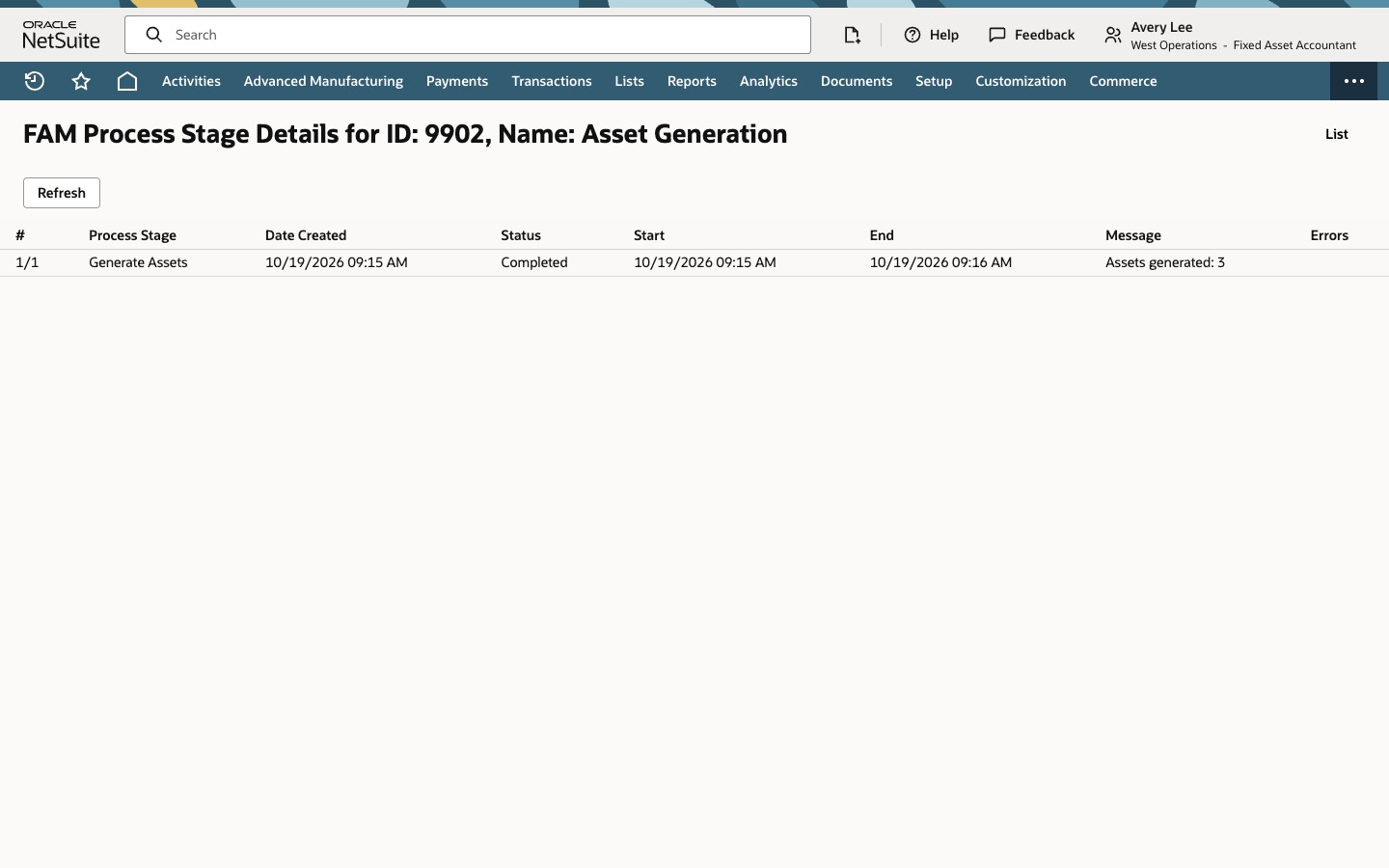
Select 6301, 6401, and 6302 individually. Do not click Mark All here: it would select 6101 too. Choose Generate Assets, refresh FAM Process Status until Asset Generation is Completed, then open Details and check Errors. In this recorded example, the completed stage reports Assets generated: 3. Check the generated asset records and their depreciation defaults in your own account before using them operationally. This recording ends at the process result.
Check the result
- Only the three split proposals were selected.
- Asset Generation completed without an error shown.
- Stage details report Assets generated: 3.
Common questions
Does Proposal Split create fixed assets?
No. It creates new proposals. Generate Assets is the separate step that turns selected proposals into asset records.
What does Split Remaining do?
It divides a remaining positive quantity and positive cost into individual proposals. The recorded example leaves it unchecked and enters all three unit amounts so the cent adjustment is visible before Split.
Why is the final unit one cent cheaper?
The original $27,368.42 does not divide into three identical cent amounts. Two lines of $9,122.81 and one of $9,122.80 add back to the original total.
Why select the new proposals individually?
Mark All includes every eligible row currently shown. In the source demonstration, that included a fourth, unrelated proposal, so its generation process reported four assets. This walkthrough selects only the three rows created by the split.
Is this the same as Asset Split?
No. Proposal Split acts on New proposals before asset generation. Asset Split acts on an existing fixed asset record.