The quick answer
On an Inventory Adjustment, enter the item, its line location and a positive Adjust Qty. By. Open Inventory Detail, assign the lot and quantity, then save. Reopen Inventory Detail on the saved transaction to verify the assignment.
A stock check finds one FG-40 Filter Cartridge at Harbor Depot. NetSuite shows zero on hand. The cartridge is lot-numbered, and the label shows FG-261113-A. This example uses Advanced Bin / Numbered Inventory Management and Inventory Status. The item does not use bins at Harbor Depot.
1. Set up the adjustment
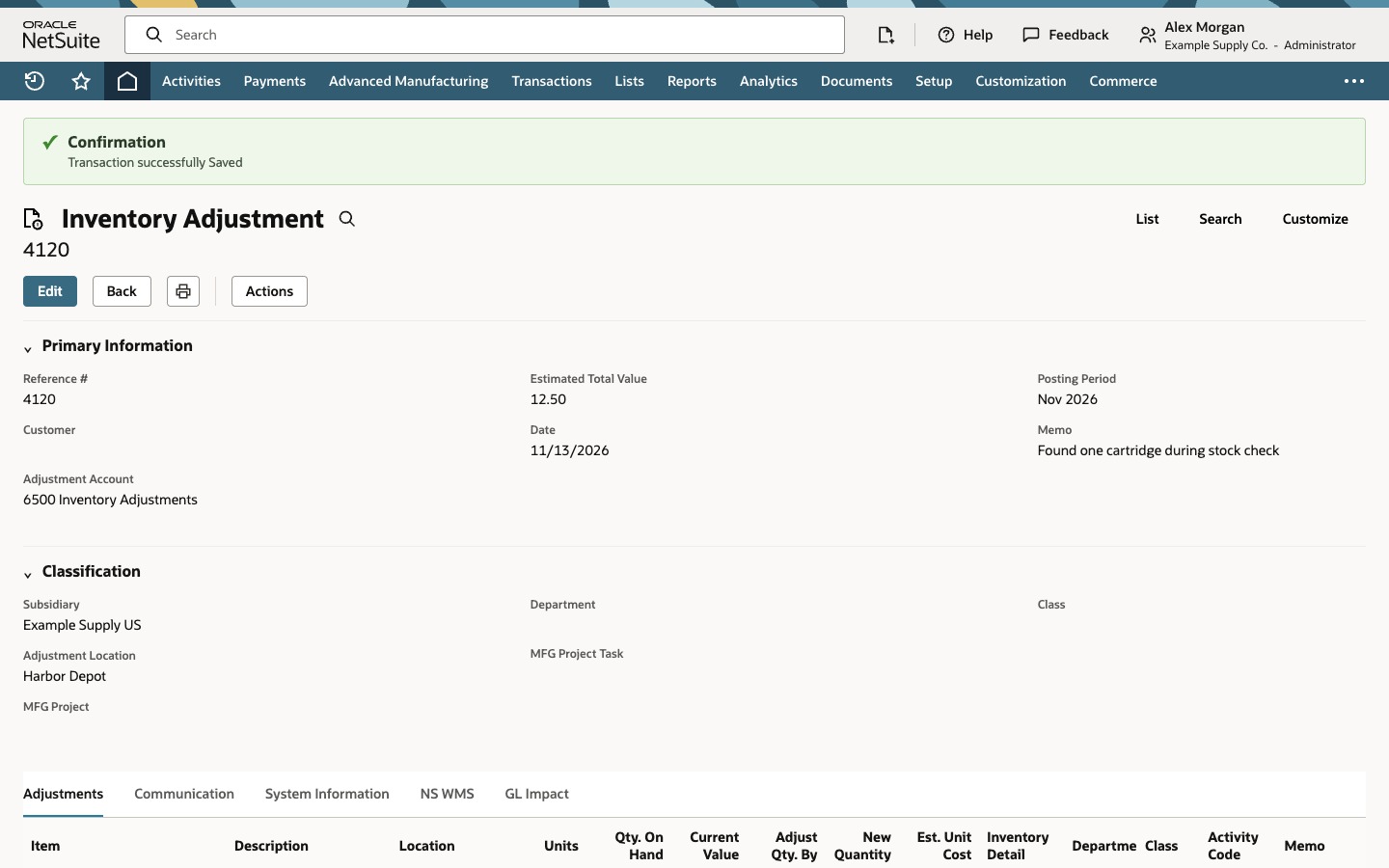
Go to Transactions > Inventory > Adjust Inventory. Select your subsidiary and the approved Adjustment Account. Check the date and adjustment location. A memo such as “Found one cartridge during stock check” gives the next person a reason for the change.
2. Enter the item and quantity
On Adjustments, choose FG-40 Filter Cartridge. Select Harbor Depot on the line as well as on the header. Enter 1 in Adjust Qty. By. Check that Qty. On Hand shows 0 and New Quantity shows 1. Review the estimated unit cost for the increase.
3. Assign the lot in Inventory Detail
Open Inventory Detail on the line. Enter FG-261113-A in Serial/Lot Number and 1 in Quantity. Confirm Good in Status. Fill in the bin or expiration date when required for your item. Click Add in the popup, then OK. Back on Adjustments, click Add to commit the transaction line.
4. Verify the saved assignment
Click Save. Check the confirmation and the new reference, 4120 in this example. Open Inventory Detail from the saved line. Verify FG-261113-A, Good, and quantity 1.
Common questions
What should the Inventory Detail quantities add up to?
For a positive adjustment, they should total the value in Adjust Qty. By. If you add units from more than one lot on the same line, assign each lot its own quantity.
Why is Inventory Detail missing or unavailable?
Confirm the item is numbered and Advanced Bin / Numbered Inventory Management is enabled. Enter the location and a quantity on the adjustment line before looking for its Inventory Detail icon.
Where do I verify the accounts and amounts?
Open GL Impact on the saved adjustment. Inventory Detail shows which lot, status, bin, and quantity the transaction used.