The quick answer
Open the saved Inventory Count and check that its status is Open. Click Edit, select the missing SKU on the Items subtab, and click Add to put it on the form. Click Save, then check that the same count is still Open and now includes the new row.
Before you start
Use a role that can edit Inventory Counts. This example uses count IC0815 at Lakeside Retail. The items in the example don't require bin, lot, serial-number, or inventory status details. Your form and enabled features determine which fields and buttons appear. The screenshots use fictional person, company, and item names.
1. Check the saved count
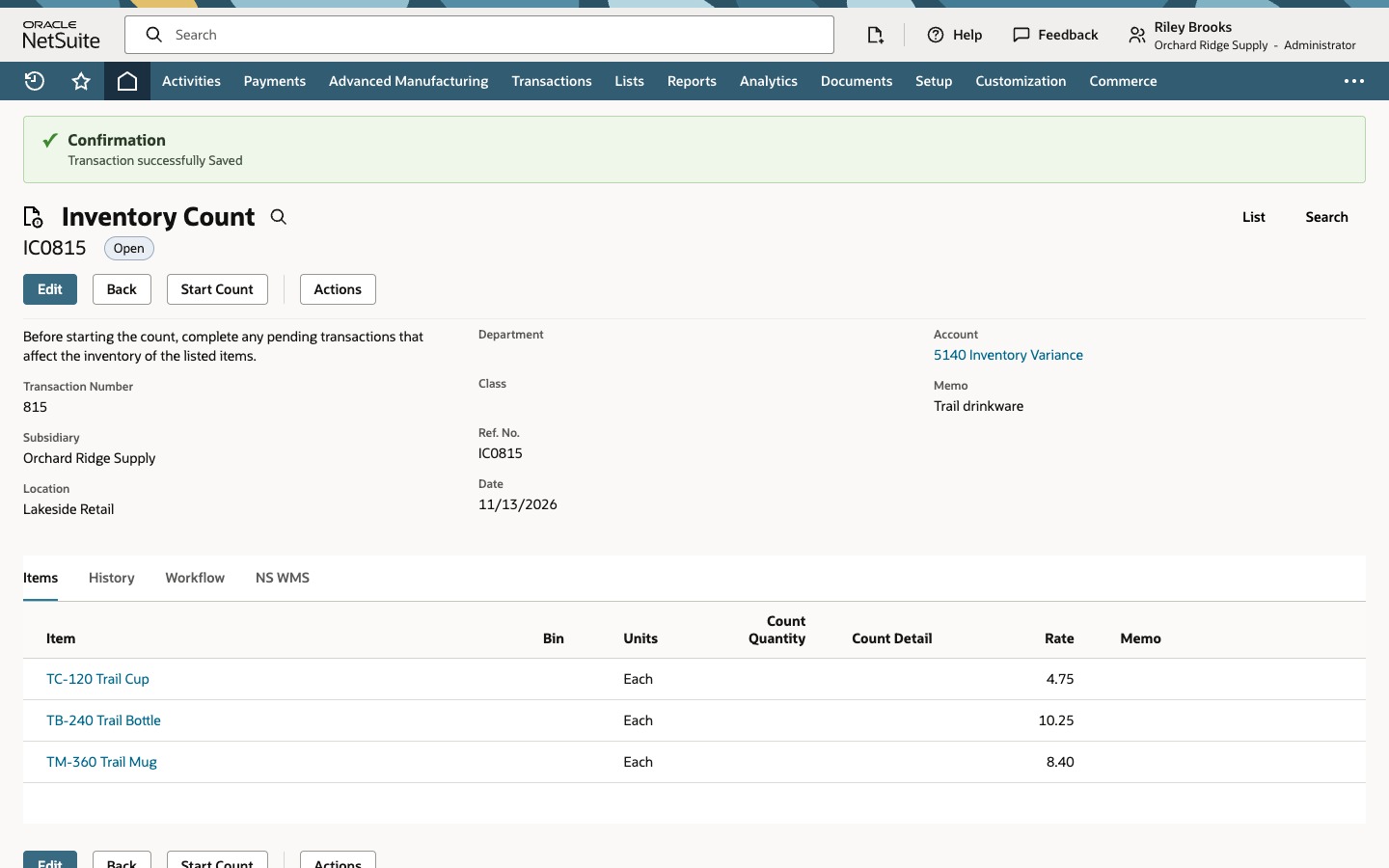
Open IC0815 and verify the location is Lakeside Retail. Check the subsidiary if your account uses subsidiaries. The record should show Open with Start Count available. The Items subtab has two rows, TC-120 Trail Cup and TB-240 Trail Bottle.
2. Select the missing item
Click Edit. On the Items subtab, type TM-360 in the blank Item field and select TM-360 Trail Mug. In this example, the line shows Each and a rate of 8.40. Verify the unit and rate shown for your item. Complete any additional line fields your setup requires. Leave Count Quantity blank at this stage.
3. Add the line and save
Click Add on the line. The form should now show Trail Mug alongside Trail Cup and Trail Bottle. Click the record's Save button to keep the change.
4. Verify the save
The example shows a save confirmation. Check that the record number is still IC0815, the status is Open, and Start Count is available.
On the Items subtab, verify that all three item rows are present. Leave the count Open for the counting team.
Common questions
Can I add items after I click Start Count?
On the standard Inventory Count record, NetSuite locks the item list after Start Count. Make scope changes while the count is Open, then enter physical quantities once its status is Started.
When does NetSuite take the inventory snapshot?
NetSuite takes a snapshot of the listed items' on-hand quantities as part of Start Count. Review pending receipts, fulfillments, or transfers before starting so you can account for them during reconciliation.
Should I enter zero before anyone counts the item?
Leave Count Quantity blank until someone counts it. Enter zero when the physical count actually finds zero units.